To properly display this page you need a browser with JavaScript support.
SmartPlant Integration
Help Material
×
Menu
Index
Search
Search
Search
S3D
Publish Using 3-D Model Drawings
Previous page
Next page
Print version
Jansen 2019
To properly display this page you need a browser with JavaScript support.
Publish Using 3-D Model Drawings
This type of publishing requires the following steps:
Access a Model in SP3D
Create a 3-D Model Component
Create a 3-D Model Drawing
Create .vue Files
Publish a 3-D Model Drawing
Verify Publishing in SPF
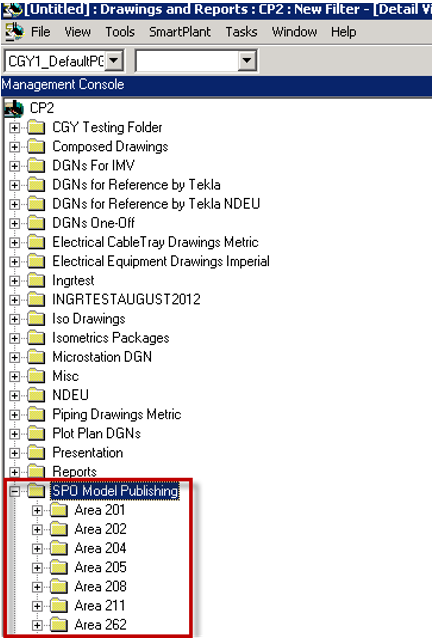
The model drawings are grouped by area as shown in the following figure:
The contents of Publish Using 3-D Model Drawings
Access a Model in S3D
Create a 3-D Model Component
Create a 3-D Model Drawing
Create .vue Files
Publish a 3-D Model Drawing
Check Published Documents in SPF
Publish an Isometric Drawing
Navigating to Published Isometric Drawing in SPF Web Client