The most common reason for publishing process failure is an out-of-date drawing, where the following error occurs:
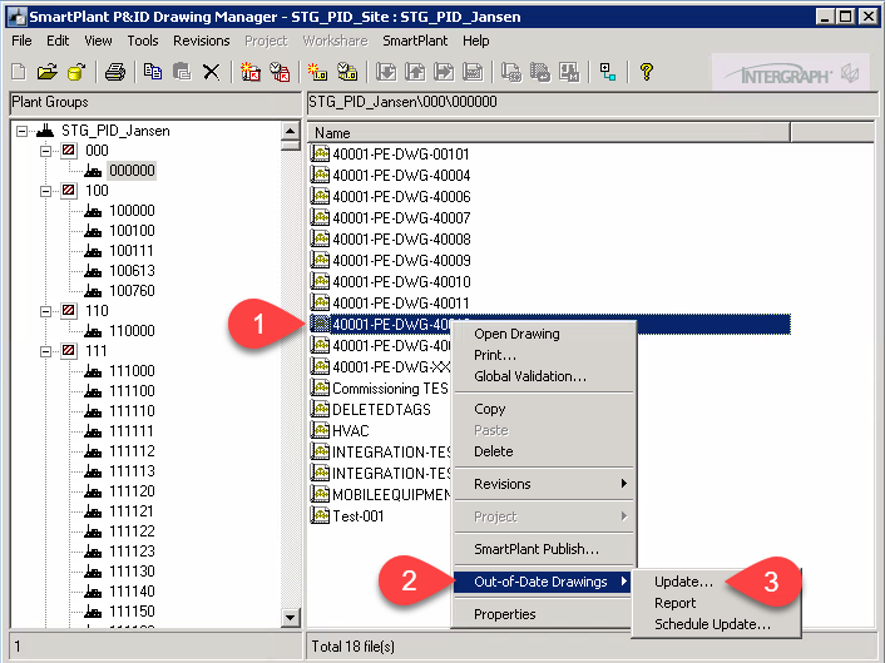
The reason for this error is that a change has been made in another drawing that has a common component with the drawing we are trying to publish. To correct this error, update the drawing that needs to be published via the SmartPlant P&ID Drawing Manager as follows:
1. Right-click the drawing
2. Expand the Out-of-Date Drawings menu
3. Click Update…
Once the drawing has been updated, retry to publish it.