Workflow 1
This workflow applies when the instrument does not exist in the model and the DDP is not correlated to any P&ID
Follow the regular procedure for placing a tagged instrument, but in the Specify Component Tag dialogue box select Design Basis as the source of tag.
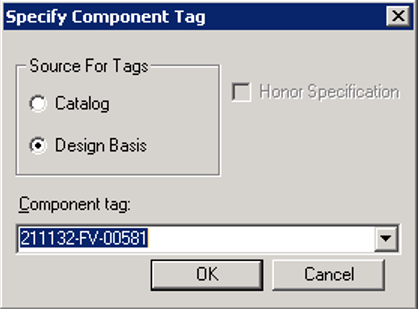
Result: When selecting the Design Basis option, the component tag drop down list shows all the tags in design basis retrieved from DDP. You can select the required tag and follow the normal process of placing a tagged instrument.