View Consolidated Data
Like the inconsistency reports, you can view the consolidated information from CDW tags directly.
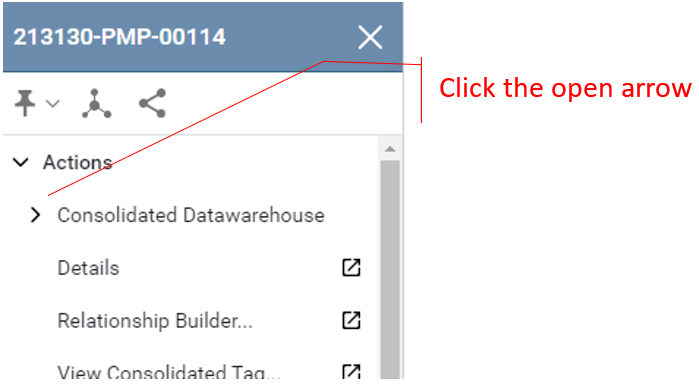
1. From the Action Menu of a CDW Tag expand the Consolidated Datawarehouse menu by clicking on the arrow.
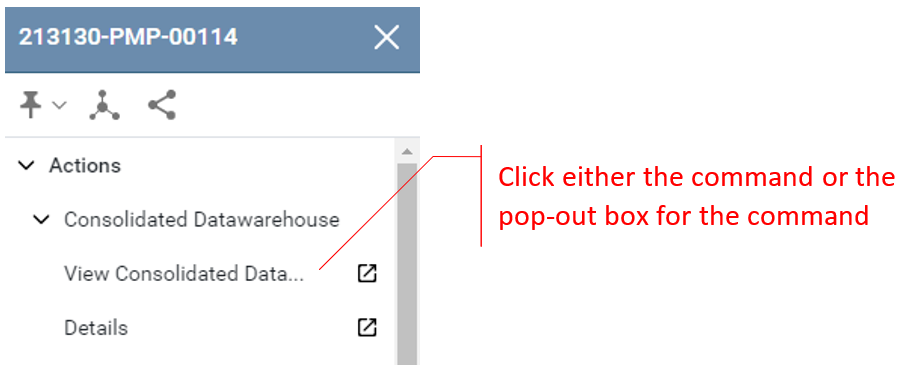
2. Use the command View Consolidated Data…
3. Review the Data
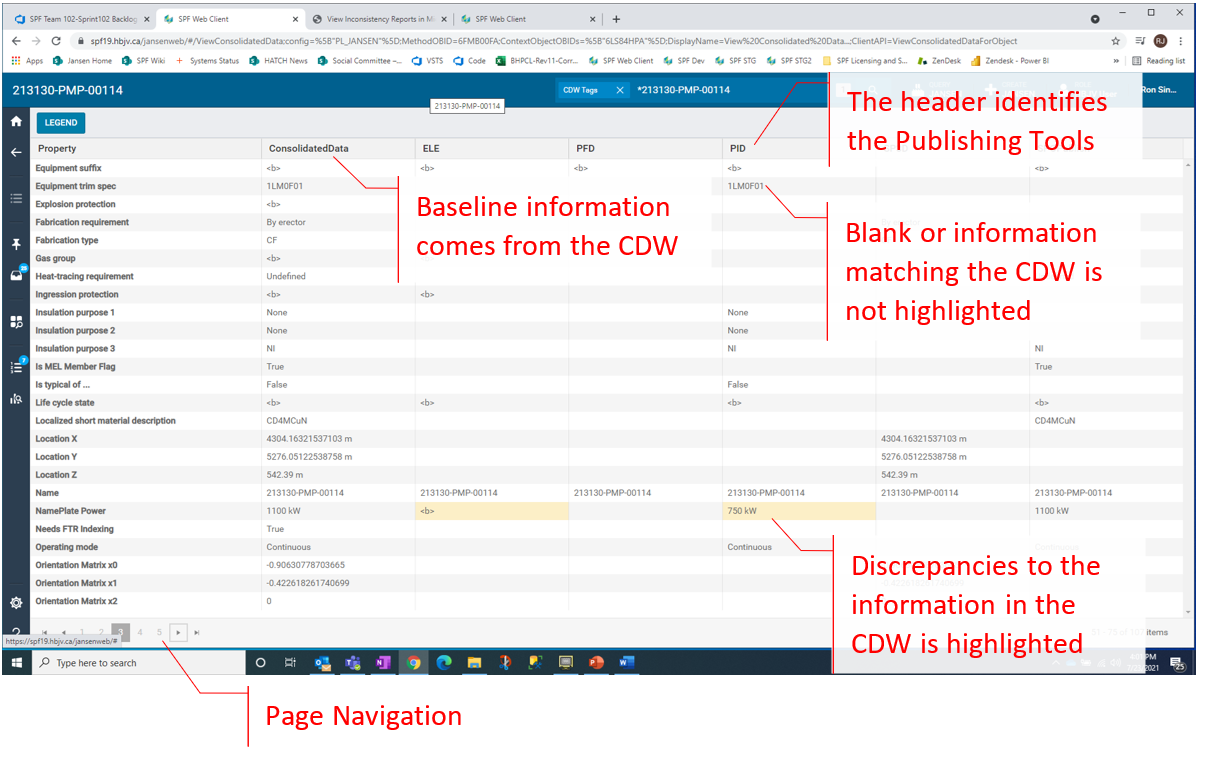
Important: This data is unlike to DQ Reports. The DQ Reports information comes from the design tools; this information compares the CDW only to information that has been published.