SPI To Do List
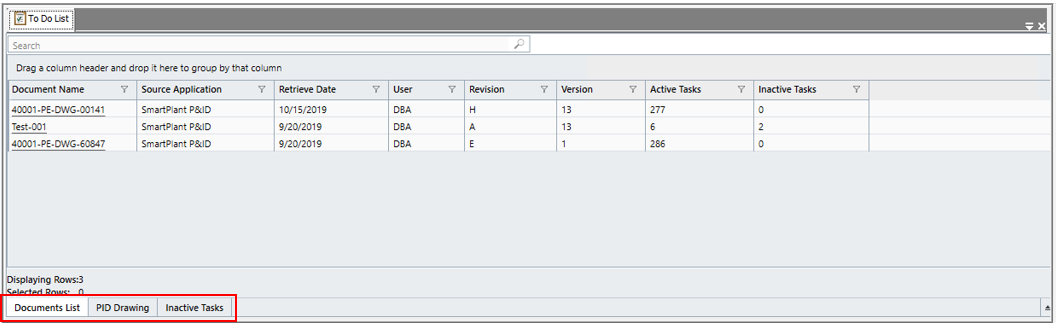
The To Do List displays the tasks to be performed in the authoring tool (SmartPlant Instrumentation, SmartPlant Electrical, or SmartPlant P&ID).
At the bottom of the To Do List window, there are two tabs:
-
Document List – shows a list of documents retrieved into SPI
-
Inactive Tasks – shows tasks that are completed, deferred, ignored or deleted.
If any documents have already been retrieved and there are tasks to be performed, additional tabs will be shown, for example, PID Drawing (P&ID), Process Data Sheets, Control System Configuration (DCS interfaces), Electrical Signal List (SPEL), Cable Connection Browser (S3D).
To make sure documents or tasks are displayed in the Document List tab:
-
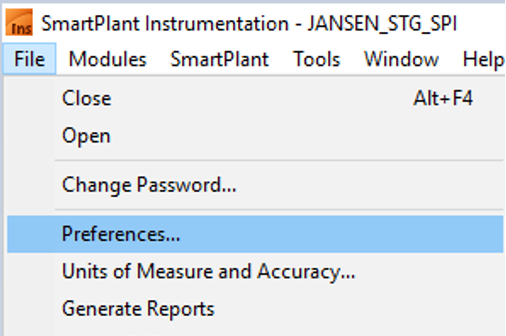
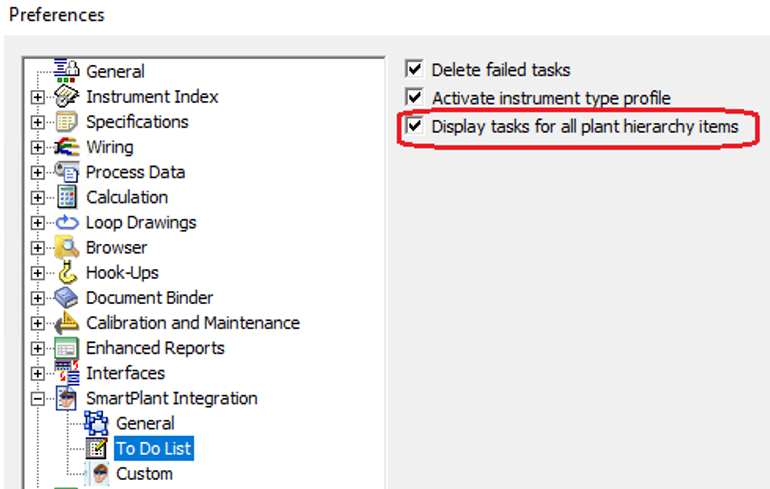
Expand the File menu and select Preferences...
-
Check the checkbox Display tasks for all plant hierarchy items.