Publish Documents in Bulk
Option A
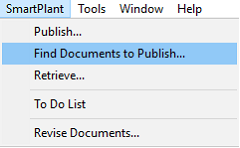
1. Expand the SmartPlant menu from the top ribbon
2. Click Find Documents to Publish…
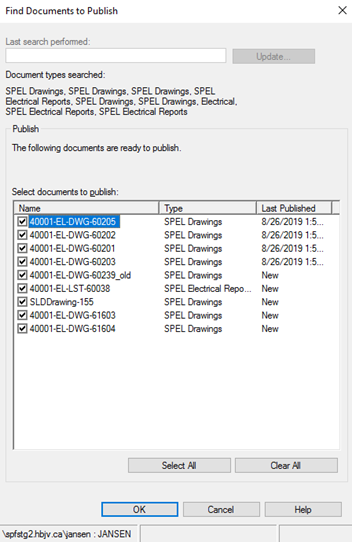
Result: All documents that are publishable within SPEL displayed.
This utility within SPEL cannot be used to identify documents by unit or by area for two reasons:
i. The nature of various electrical assets that may stretch between existing units or areas, and
ii. Software limitation.
3. Check the box next to the document(s) that should be published.
4. Click OK.
Option B
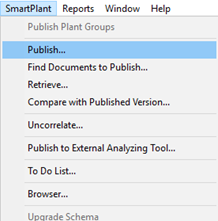
1. Expand the SmartPlant menu from the top ribbon
2. Click Publish…
3. Select the plant icon
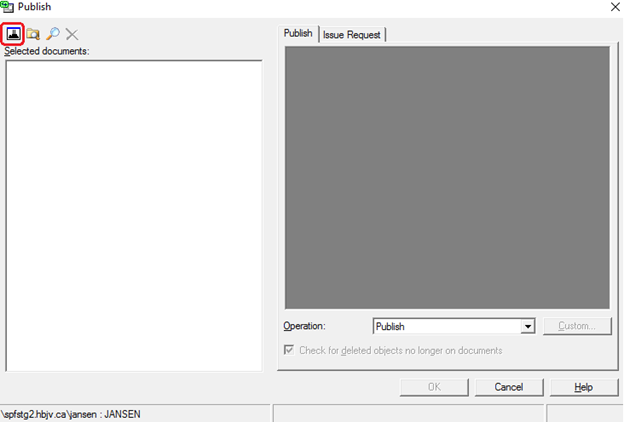
4. Apply filters as needed to display the corresponding documents for publishing.
5. Click OK.
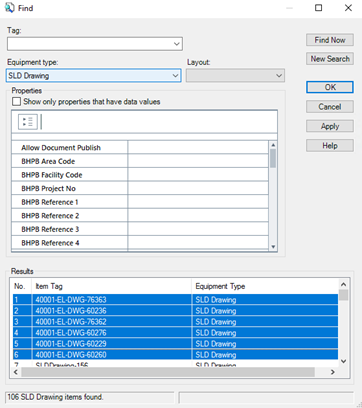
Result: The Publish window opens.
In this example, a few documents must be revised before being published.
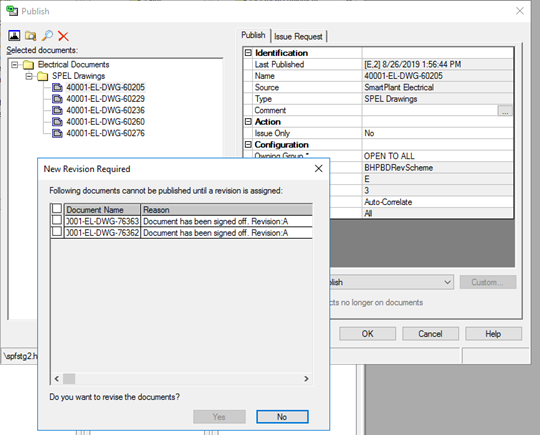
5. Select the documents to be revised and click Yes.
6. Click OK to start publishing operation.