In the Category.4 Pre-Publish report, the various property fields are coloured to indicate where the master data should be (which application property), and where data is missing or inconsistent, as shown in the following image.
What is a master property? According to the master data management approach, in situations where the same data may reside in multiple applications simultaneously (e.g. a property) the master property signifies the application where the master data property should reside (the field is colouredpurple), e.g. the source of truth.
In situations where the same data property is required in other systems simultaneously:
If the field is coloured red, the property value does not match or is missing.
If the field is coloured green, the property value matches that of the master property
If the field is coloured yellow, the property in the master property is blank and cannot be confirmed or checked.
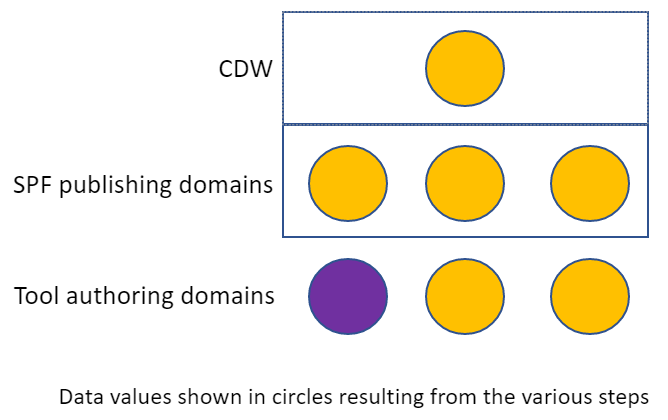
It should also be noted that the act of "publish and retrieve" in a dynamically changing engineering project does not guarantee that the data within the tools are consistent. The following image illustrates a simple case where a number of tools are publishing and retrieving a single property, using the same colour-coding as above. This example illustrates why the data quality reports across authoring domains (PRE-Publish) and publishing domains (POST Publish) are required PRE and POST Publish. By reviewing the Category.4 PRE-Publish report on a regular basis, disciplines can evaluate any mismatched data early and correct/align it without the need for publish and retrieve.