Generate Inconsistency Reports
Inconsistency reports can be generated at four levels across the plant:
-
Area
-
Unit
-
Published document
-
Tag.
Inconsistency reports display information only from your active query scope. You must have access to the desktop client and the HBJV User role to see the Inconsistency Report shortcut menu for a document or an object.
Option 1: Generate inconsistency report at area level
-
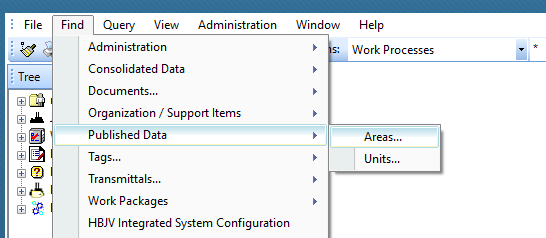
Expand the Find menu from the top ribbon and under Published Data select Areas...
-
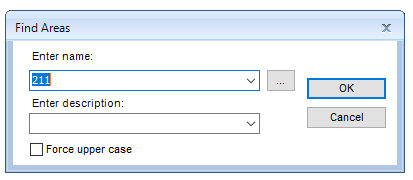
Search for the appropriate area in the Enter name: field, e.g. 211
-
Right-click the area to open the menu, then select Generate Inconsistency Report...
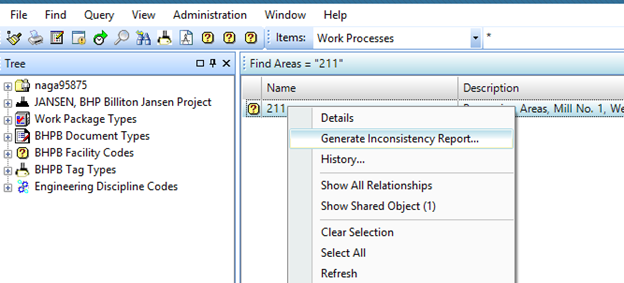
Result: The generated report is saved by default under the user profile Temp location, with the default name InconsistencyReport_PL_JANSEN.xlsm, unless the user has defined otherwise.
Option 2: Generate inconsistency report at unit level
-
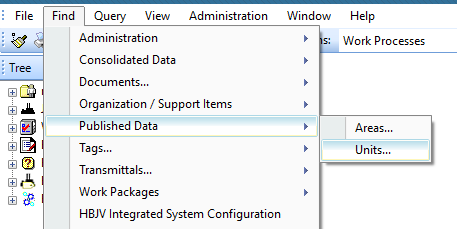
Expand the Find menu from the top ribbon and under Published Data select Units...
-
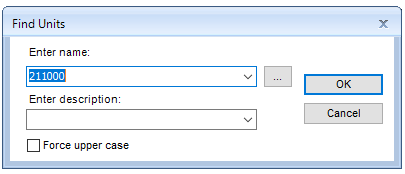
Search for the appropriate unit in the Enter name: field, e.g. 211000
-
Right-click the unit to open the menu, then select Generate Inconsistency Report...
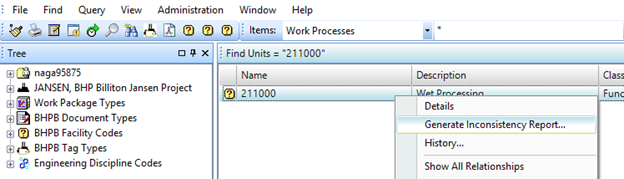
Result: The generated report is saved by default under the user profile Temp location, with the default name InconsistencyReport_PL_JANSEN.xlsm, unless the user has defined otherwise.
Option 3: Generate inconsistency report at published-document level
-
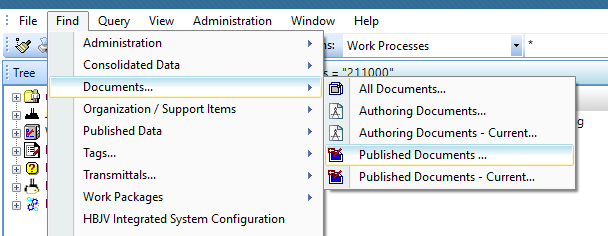
Expand the Find menu from the top ribbon and under Documents... select Published Documents...
-
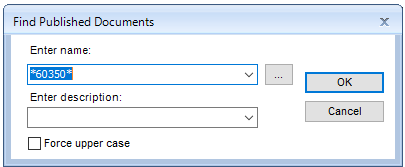
Search for the appropriate published document in the Enter name: field
-
Right-click the document to open the menu, then select Generate Inconsistency Report...
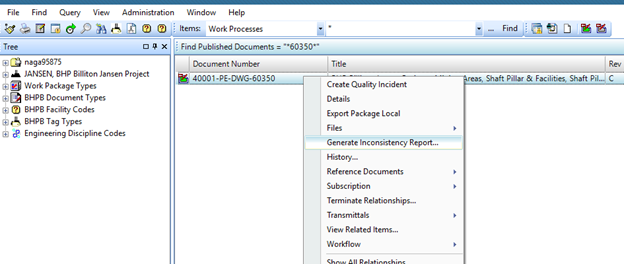
Result: The generated report is saved by default under the user profile Temp location, with the default name InconsistencyReport_PL_JANSEN.xlsm, unless the user has defined otherwise.
Option 4: Generate inconsistency report at tag level
-
Expand the Find menu from the top ribbon and select Pipe Run... under Consolidated Data
-
Search for the appropriate tag in the Enter name: field
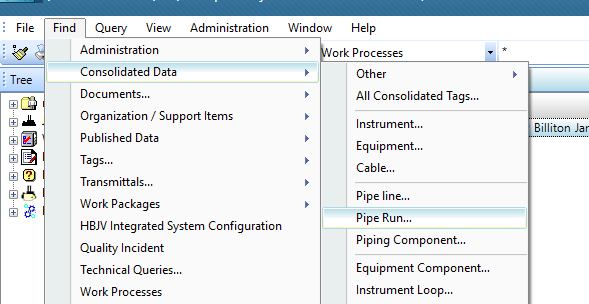
-
Right-click the tag to open the menu, then select Generate Inconsistency Report...
Result: The generated report is saved by default under the user profile Temp location, with the default name InconsistencyReport_PL_JANSEN.xlsm, unless the user has defined otherwise.