Create a 3-D Model Component
1. Under the Tasks menu in the top ribbon, select Drawings and Reports
Result: This opens the Management Console window, where you can create 3D Model Data
2. Navigate to the parent folder in the folder hierarchy as shown in Figure XX
3. Right-click the parent folder, expand the New menu and click 3D Model Data
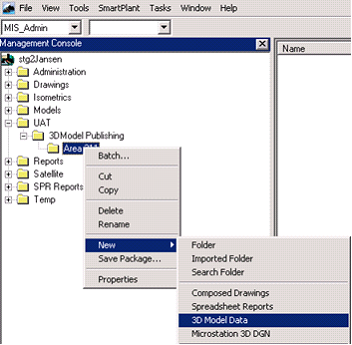
Result: A 3-D model component will be created with the default name ”3D Model Data”.
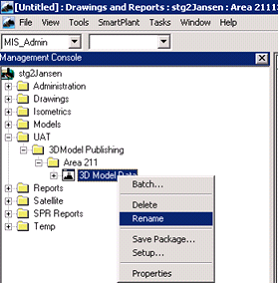
To rename the component:
1. Right-click the component
2. Select Rename. In this example, the component is renamed to “3DModel Area 211132”.