Redline, TQ, and NCR Validations Tabs
After completing the import/adding of tags, updating and validation of the tag to subsystem relationships on the Tag Systemization tab, secondary validation is highly recommended for redlines, TQs, and NCRs.
All three validations finds cases where either the object itself, or its documents and tags are not related to the 'changing' subsystem.
Topics Covered in this section
-Loading Data
-Object Validation - Menu
-Object Validation - Table Overview
-Object Validation - General Workflow
Object Validation - Menu

|
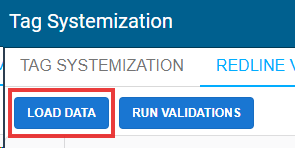
Load Data
|
Loads data related to selected line items from the Tag Systemization tab.
|
|
Run Validations
|
Validates and produces a Proposed Actions based on Target Subsystem and validations related object.
|
|
Export to Excel
|
Exports .XLSX list of all line items
|
|
Clear Filter
|
Clear all filters currently active to columns
|
Loading Data
To load data into either
redlines, TQs, or NCR validation tables, begin by checking the required tags on the Tag Systemization Tab.
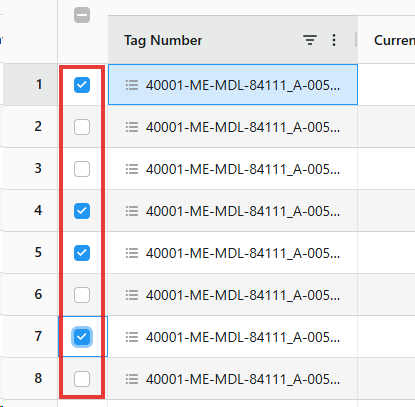
Once required tags are checked, navigate to either of the validation tabs and select 'Load Data' to populate the table with relevant data.
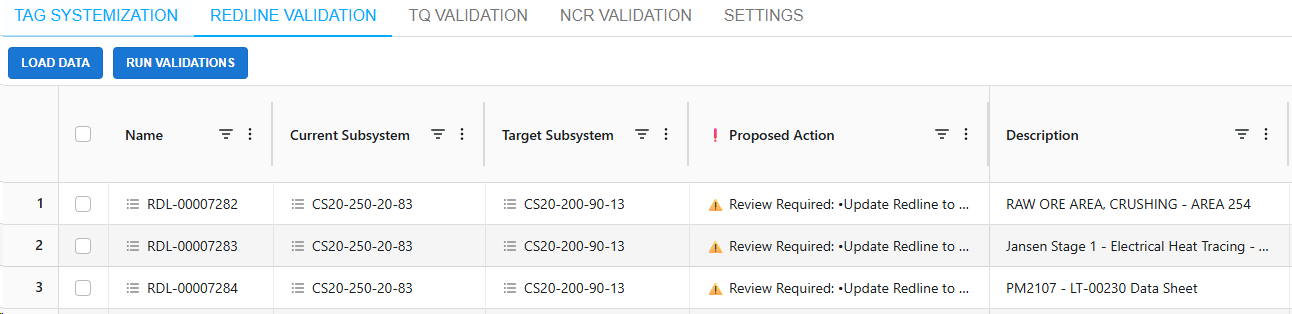
Result. Relevant redlines, TQs, and NCRs will populate the table, with a proposed action.
Object Validation – Table Overview
The systemization table consists of 4 sections:
1. Tag Systemization
-
Name – Name of object. Objects action menu available here;
-
Current Subsystem – Subsystem the tag is associated to. Subsystems action menu available here;
-
Target Subsystem – Target subsystem the tag will be associated with. Subsystems action menu available here;
-
Proposed Action – Proposed action based on subsystem comparison to limit potential impact on object;
-
Description – Description of object;
-
-
Status – Current status of object.
2. Current Subsystem
-
Status – Status of current subsystem;
-
Approved ToD? – Is the subsystem approved for Turnover Dossier;
-
Approved HoD? – Is the subsystem approved for Handover Dossier;
-
FHN – Which FHN the subsystem is associated with.
3. Target Subsystem
-
Status – Status of current subsystem;
-
Approved ToD? – Is the subsystem approved for Turnover Dossier;
-
Approved HoD? – Is the subsystem approved for Handover Dossier;
-
FHN – Which FHN the subsystem is associated with.
4. Tag
-
Tag Number – Tag related to object;
-
Tag Subsystem – Current subsystem related to the tag;
-
Status – Current status of the tag;
-
Approved ToD? – Is the tag approved for Turnover Dossier;
-
Approved HoD? – Is the tag approved for Handover Dossier;
-
FHN – Which FHN the tag is associated with.
5. Document
-
Document Number – Document related to subsystem;
-
Document Subsystem – Current subsystem related to the document;
-
Status – Current status of the document;
-
Approved ToD? – Is the document approved for Turnover Dossier;
-
Approved HoD? – Is the document approved for Handover Dossier;
-
FHN – Which FHN the document is associated with.
Object Validation – General Workflow
1. Load data of selected line items from tag systemization table, all valid data will be populated;
2. Review all proposed actions, make changes within the tag systemization tab when required. Re-run validation for tag systemization;
3. Run Validations to update the proposed action column for all Object Validation line items;
4. Repeat steps 2 and 3 when necessary until the Proposed Actions for the object is within conditions;
5. On completion of validations, return to the Tag Systemization tab to Save the changes to SPF.